Product design
Design Lead
Mobile app

Silpo OPD App

2026

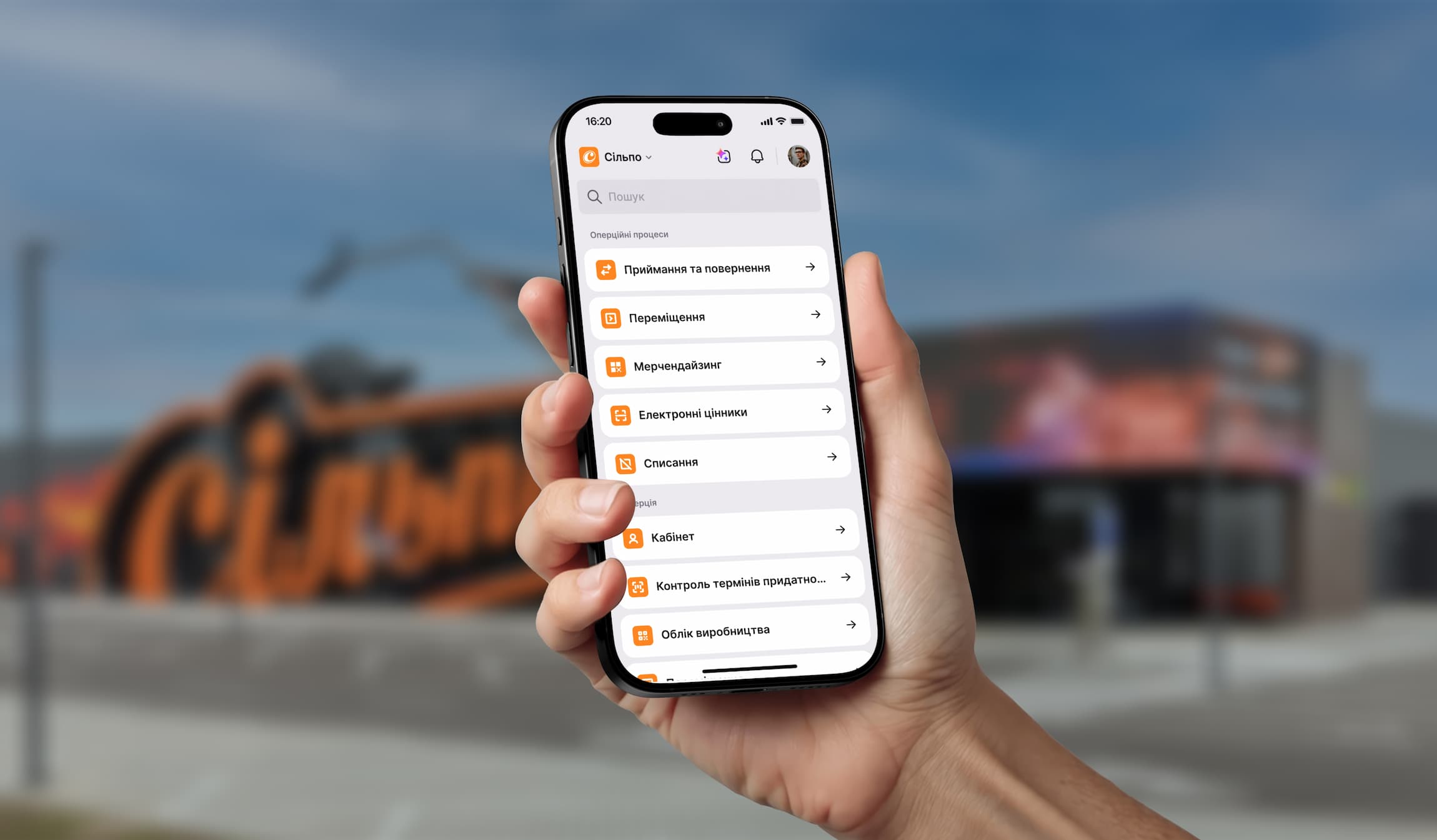
A hand holding a phone with the Silpo OPD app in front of a Silpo store

The task

Silpo. Receive goods with one hand.

Silpo's operations office set the task: move goods receiving from three legacy systems and paper into a single mobile app.
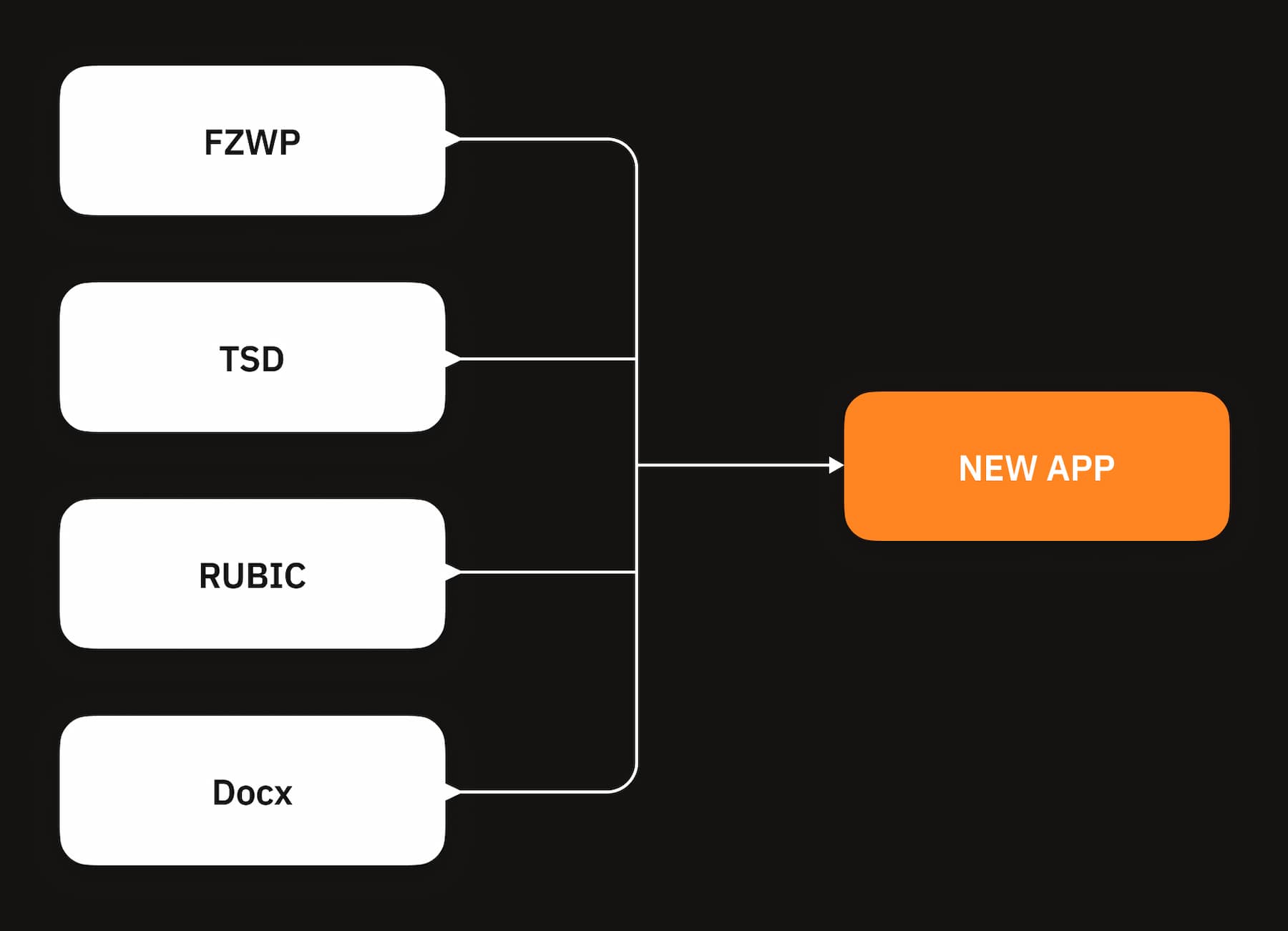
Diagram: FZWP, TSD, RUBIC and Docx merge into one new app

About the project

Silpo is one of the largest grocery chains in Ukraine. Store operations — receiving goods, moving stock between the stockroom and the sales floor, write-offs — lived for decades in desktop systems built for someone sitting at a desk. But store staff don't sit at desks: they're in the stockroom, carrying something to the cold room, or finally getting a moment to do a stock recount.

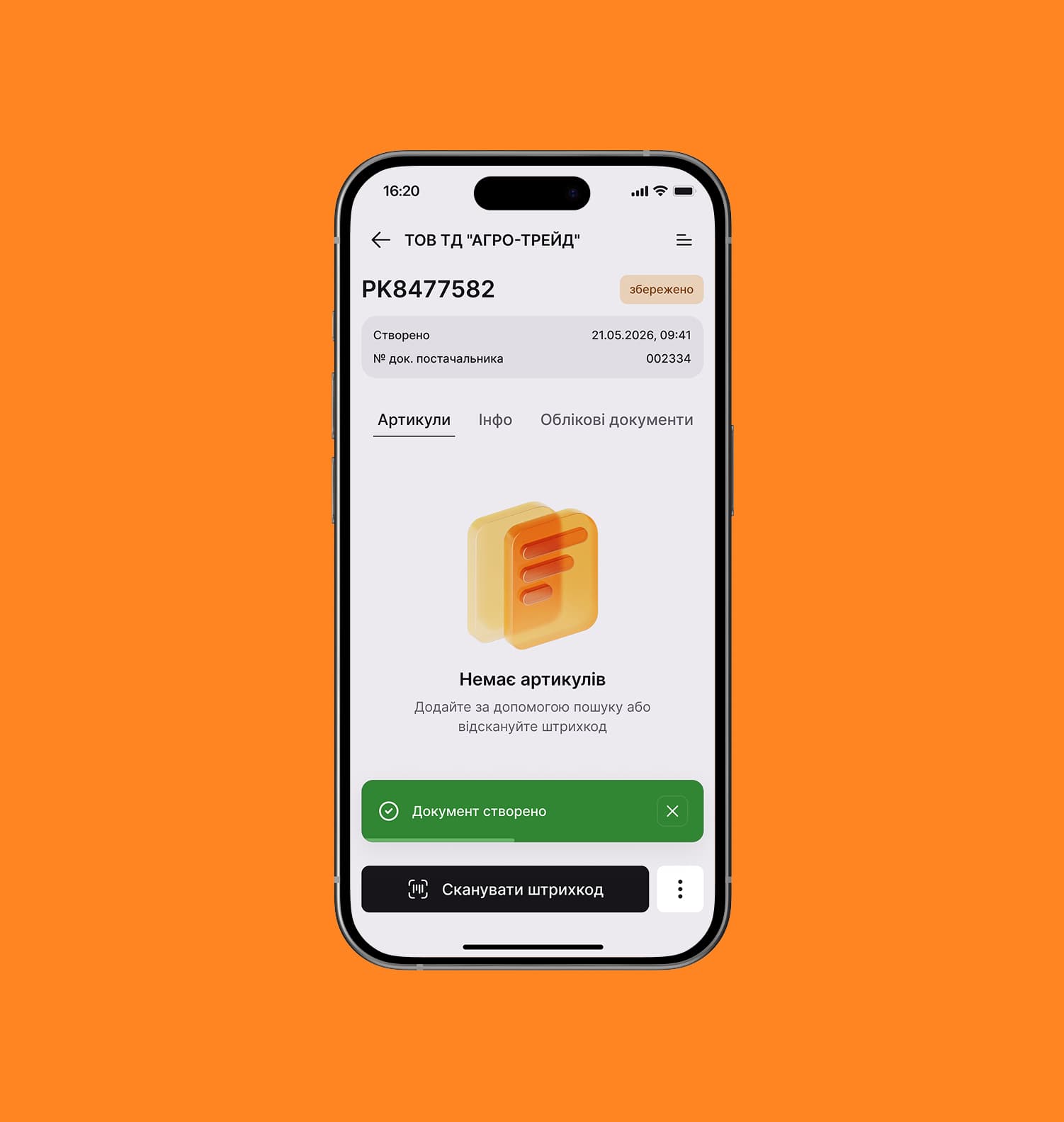
Silpo OPD app icon A newly created invoice with no items yet

The situation

So I went to the stores to see how receiving actually works…
  • An invoice can hang open for a long time because the clerk got pulled onto another task
  • Every clerk tweaks the process to make their own life easier
  • An Excel spreadsheet that is later imported into the old system
  • Sometimes long lists of quantities have to be re-typed into the system
  • Temperature is written down in a paper logbook
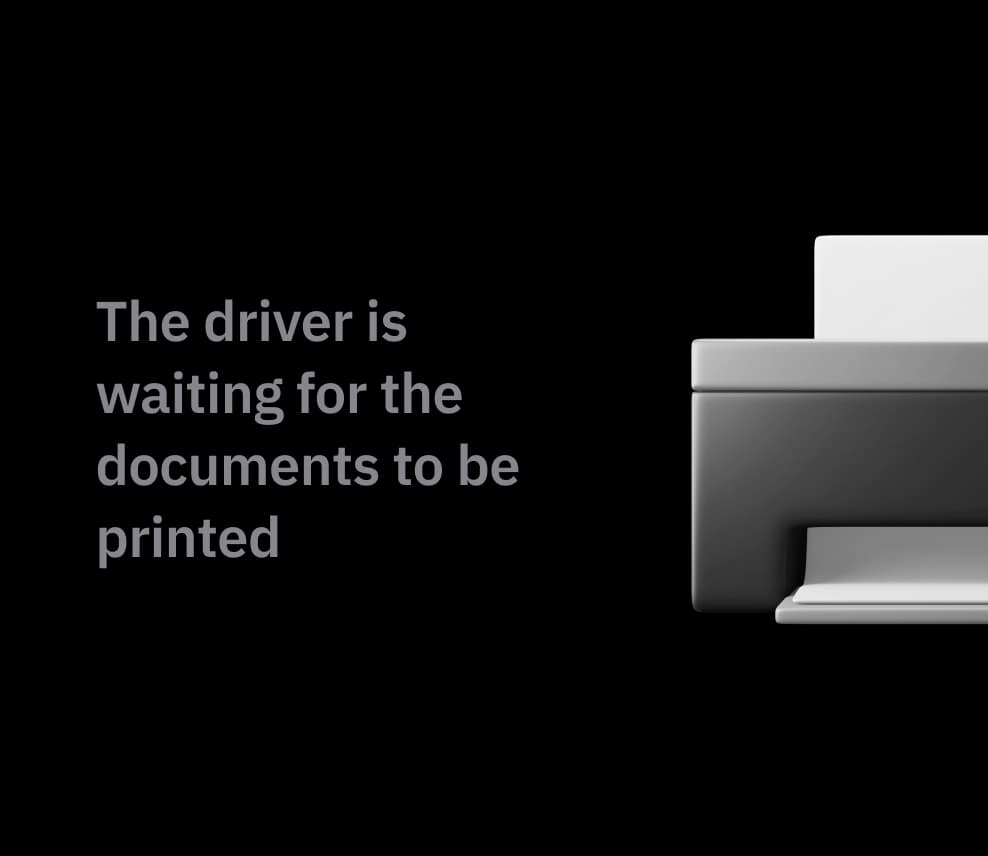
  • The driver may be waiting while documents get printed
The item wasn't accepted for a couple of hours because the employee was distracted by other tasks Invoices are stored as PDF files An Excel spreadsheet that is then imported into the system Each quantity from the paper invoice is entered manually The temperature is recorded in a paper logbook The driver is waiting for the documents to be printed

First hypotheses

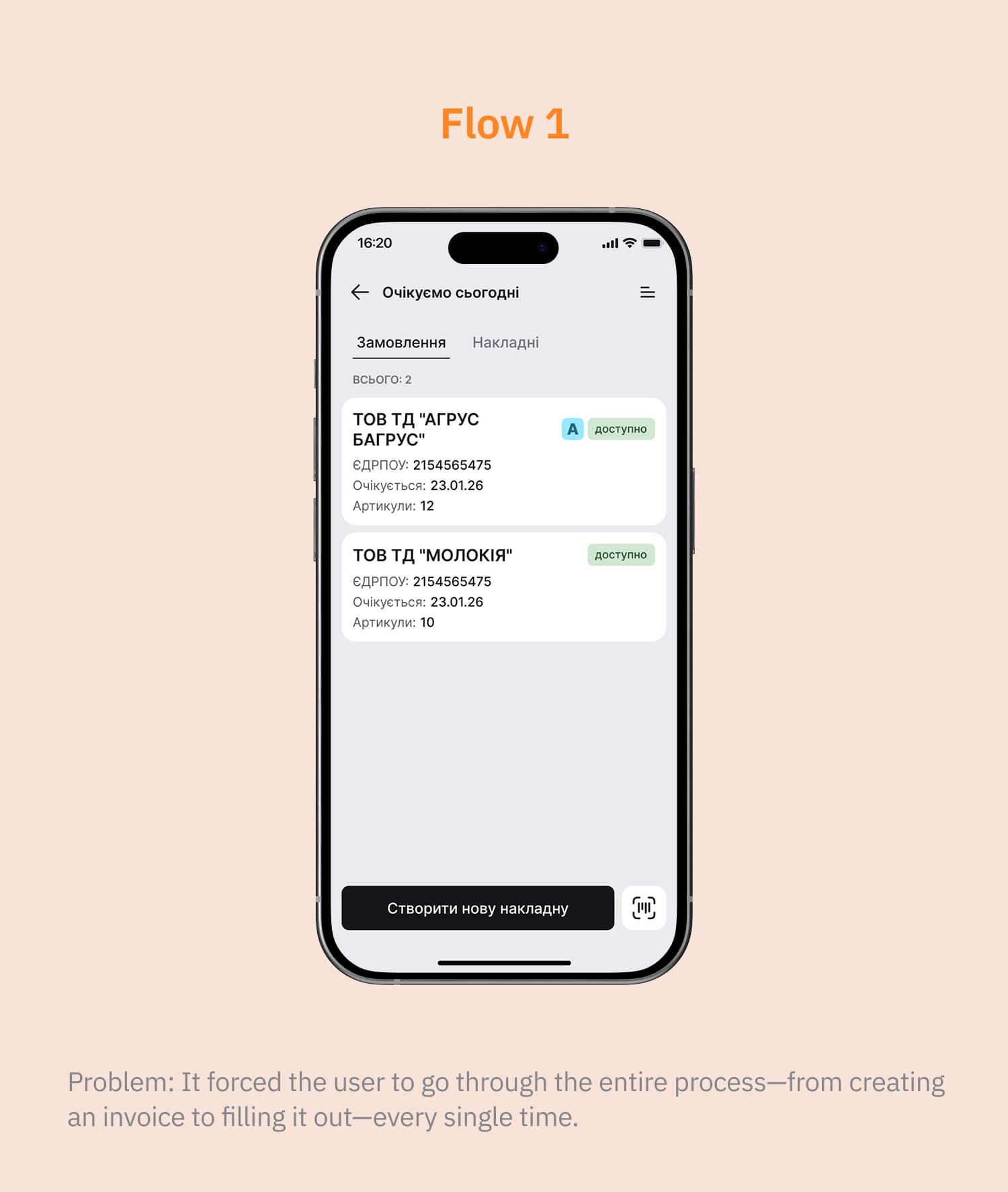
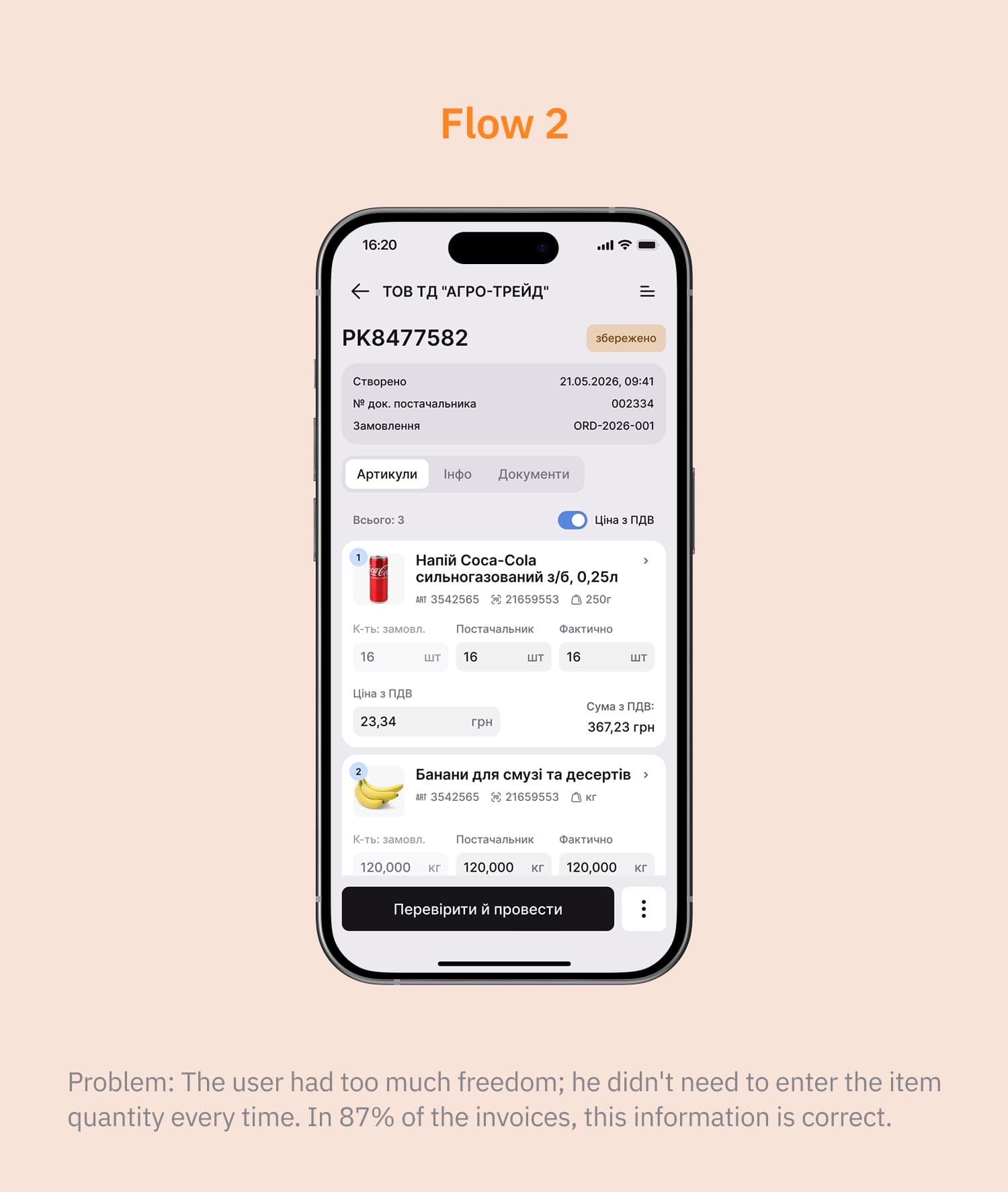
Two flows: one linear, the other with maximum freedom for the user

Together with the team we built the first prototypes and tested them with real store staff. Neither option turned out to be quite right.
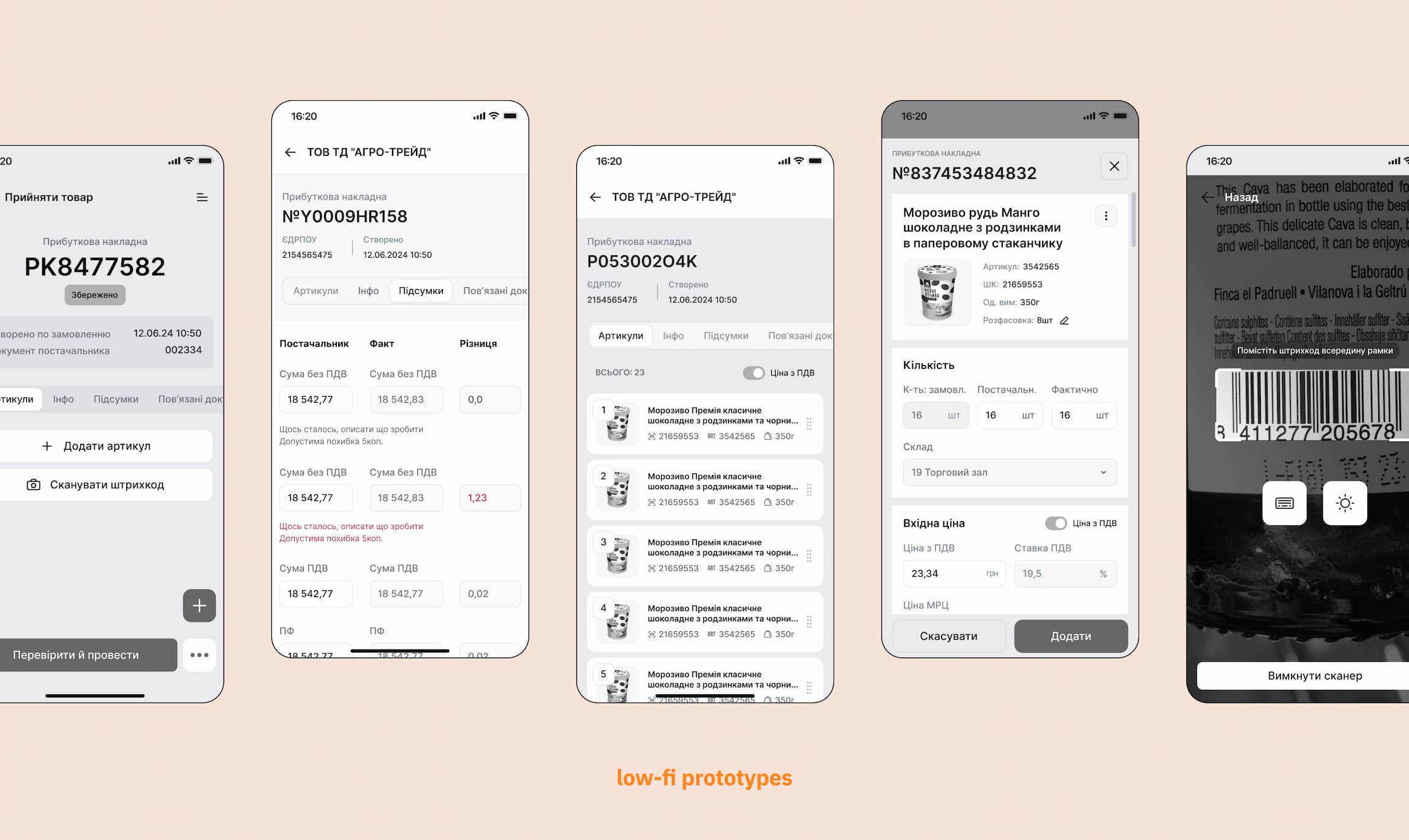
Low-fi prototypes of the receiving flow

Swipe sideways →

Flow 1. Problem: it forced the user to go through the entire process, from creating an invoice to filling it out, every single time Flow 2. Problem: the user had too much freedom; in 87% of invoices the quantity is already correct

The idea

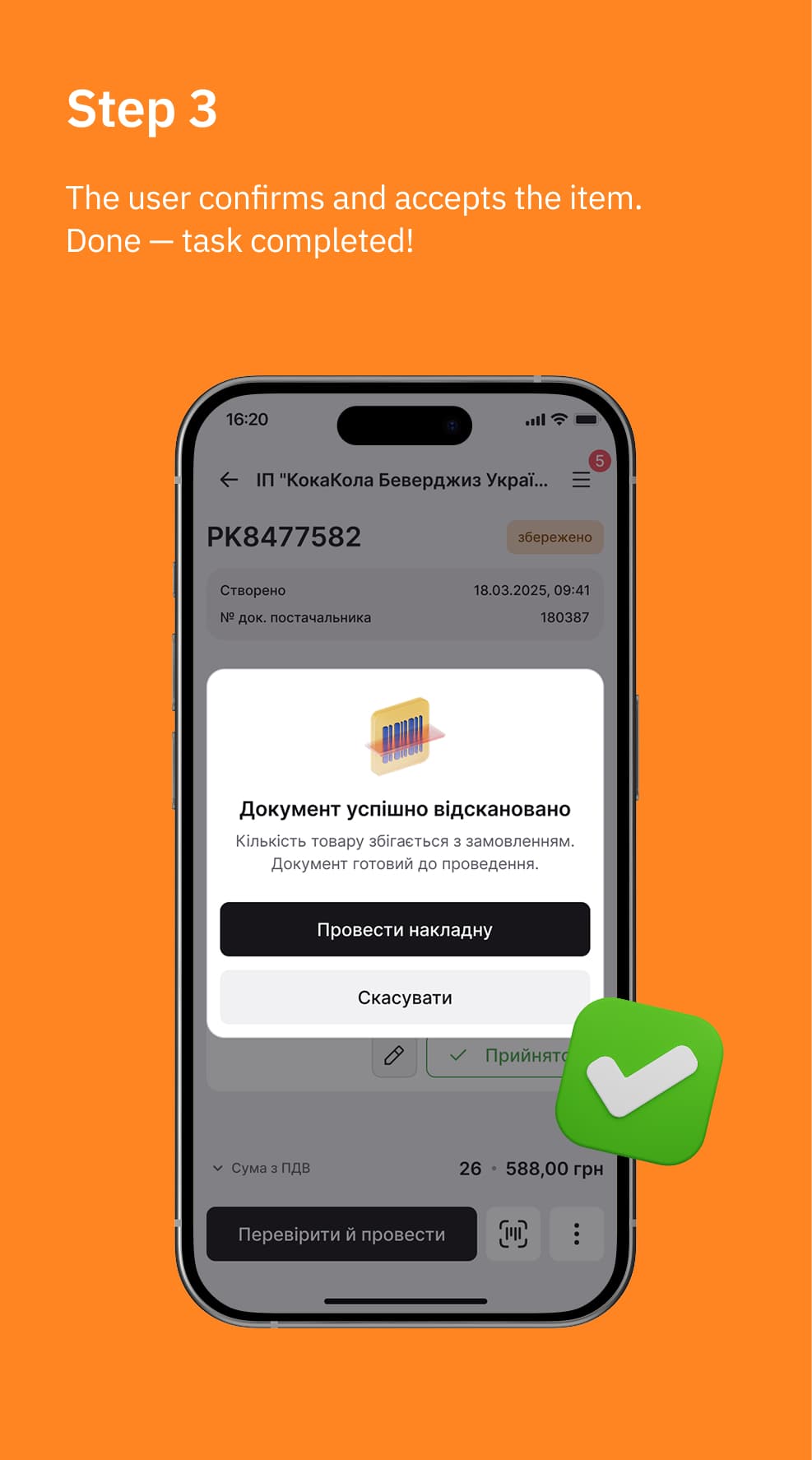
What if the system does the routine and the clerk only confirms?

This becomes possible if we use one of the smartphone's key advantages — the camera, which can recognise the delivery note.
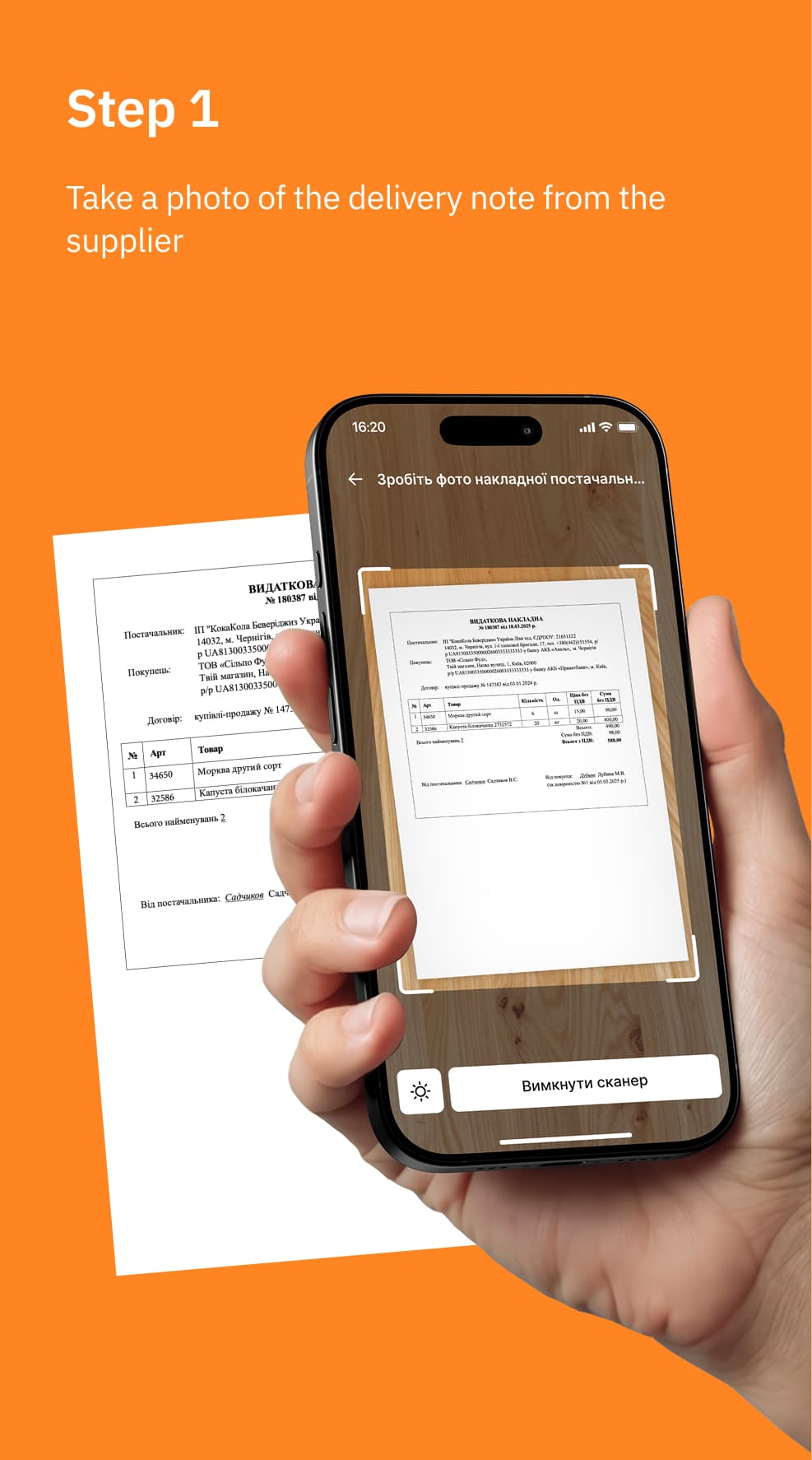
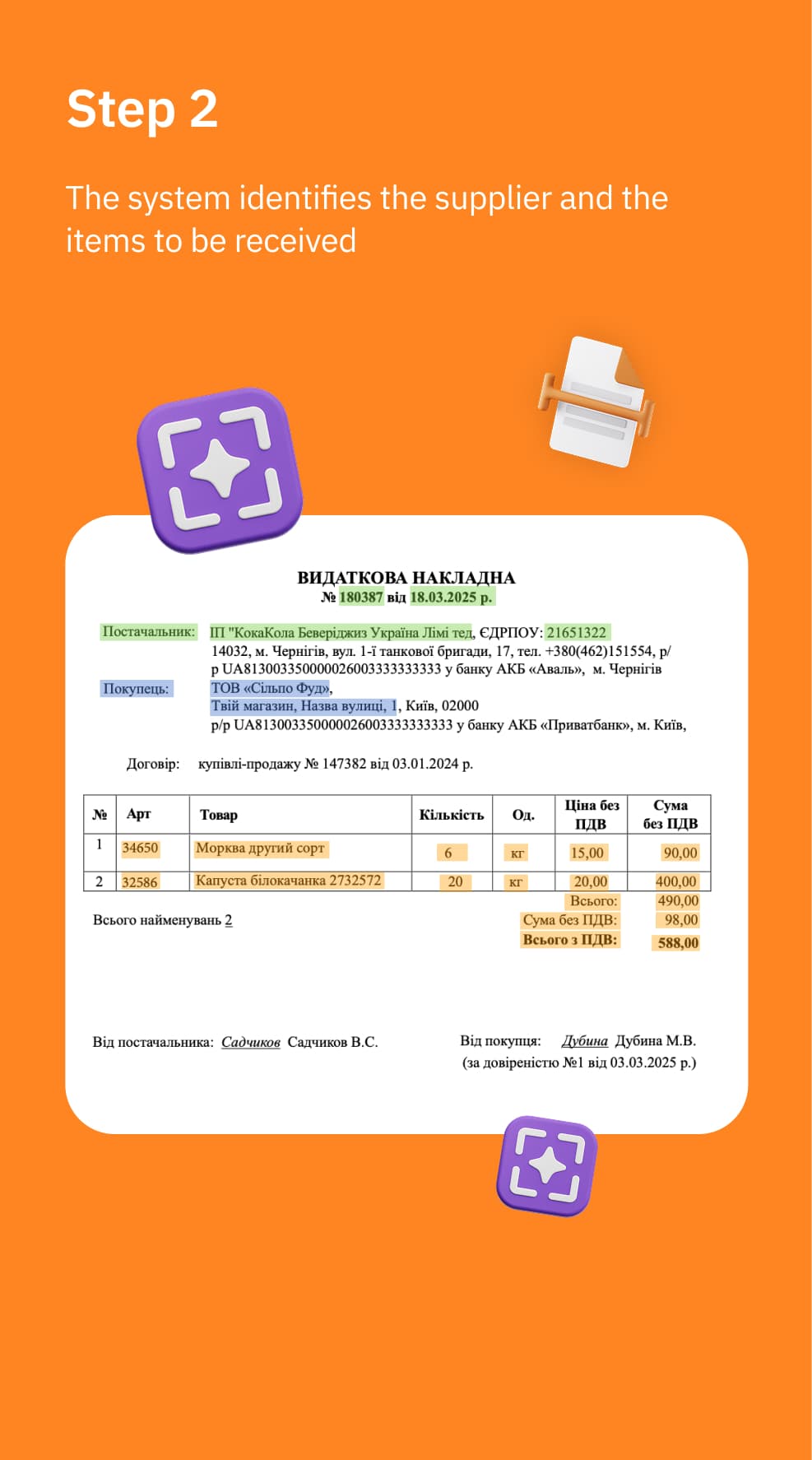
Step 1: take a photo of the delivery note from the supplier Step 2: the system identifies the supplier and the items to be received Step 3: the user confirms and accepts the item

The outcome

We cut the user's path from 21 clicks on desktop to 7 on mobile
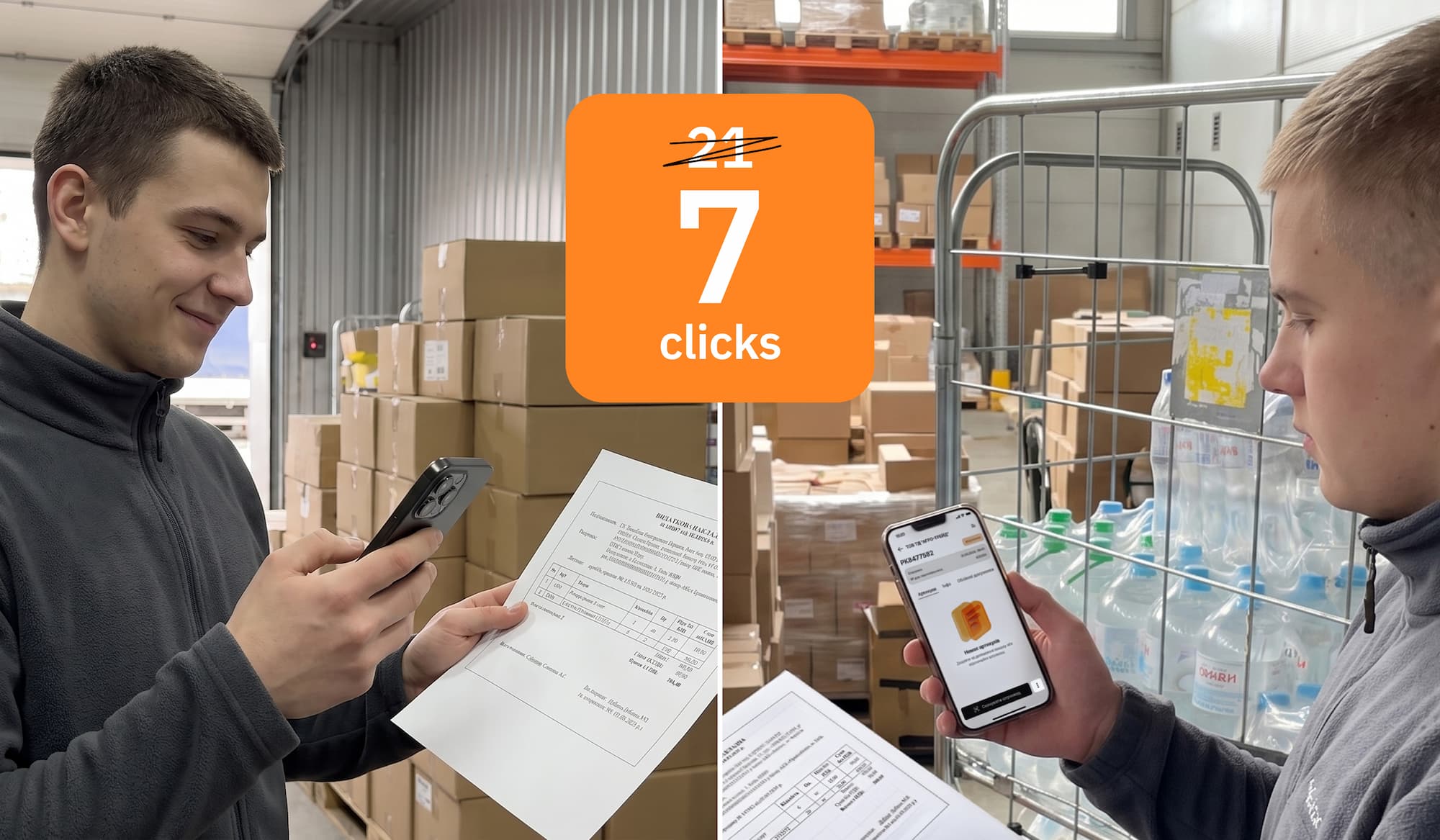
Store staff receiving goods with the app: 21 clicks became 7

Extras

What else the system does on its own:
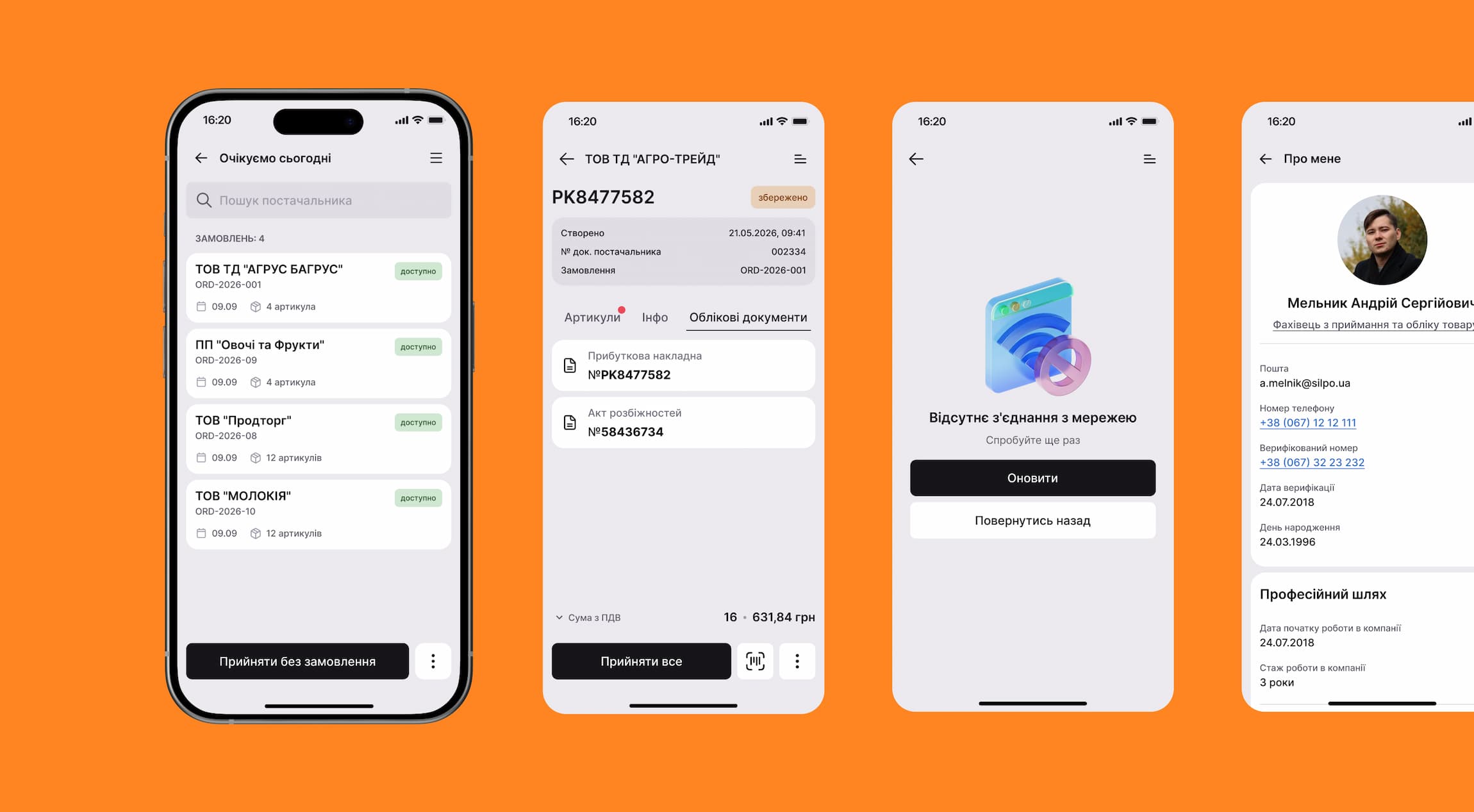
  • Matches orders to the truck's arrival time
  • Creates a short-delivery report
  • Gives sound feedback on successful or failed actions
Screens: today's expected deliveries, accounting documents, no connection, user profile

Swipe sideways →

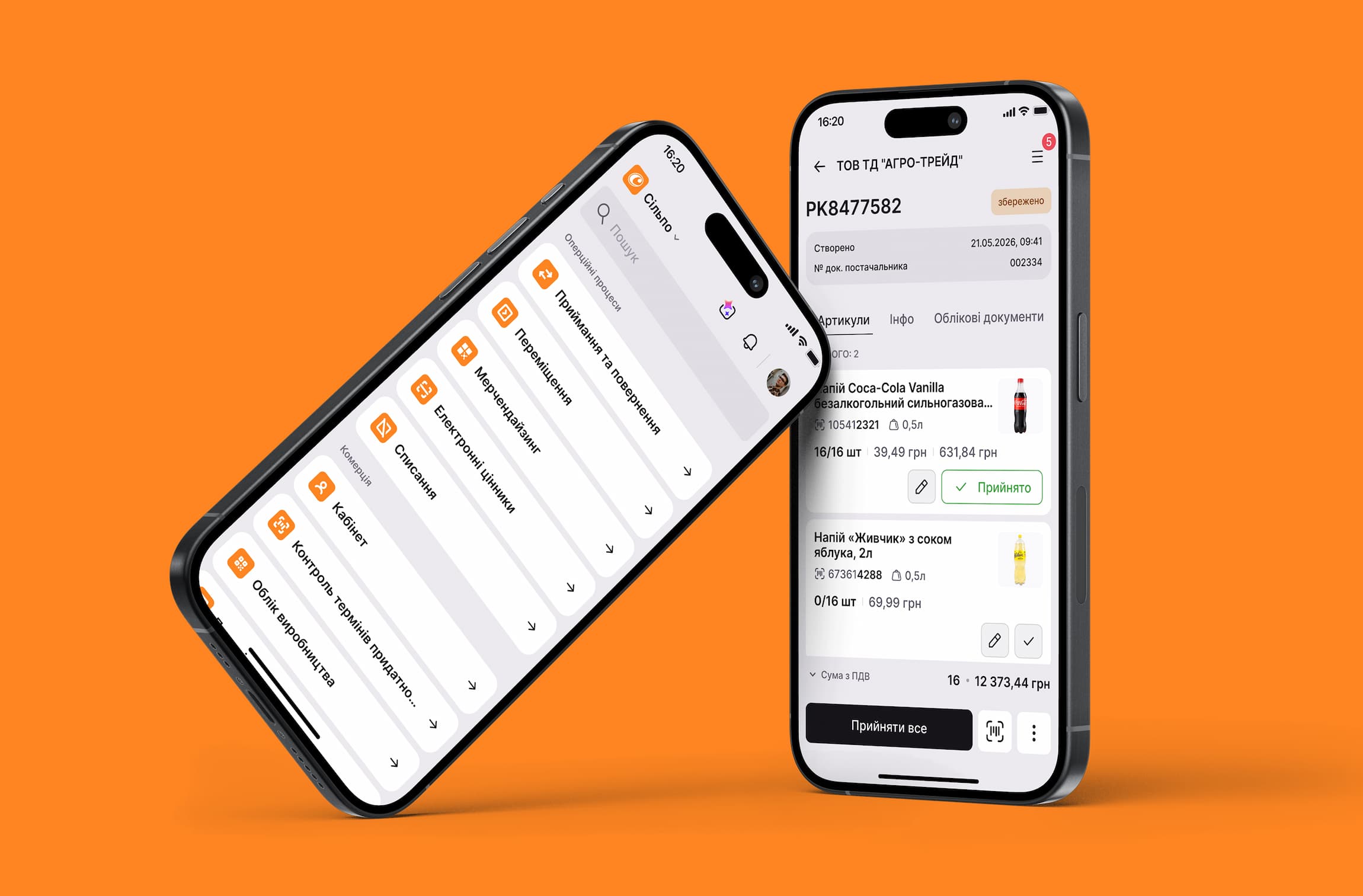
Two phones: the list of store processes and a receiving invoice

Results

Number of clicks (screen taps). Measured on a fixed scenario — receiving without an order, one item.
From 21 down to 7.

Cognitive load. A subjective metric, measured in moderated sessions: how many times a person has to stop and make a decision. This is where most of the work went — removing decisions the system can make for the user.

Receiving goods with one hand became possible. Receiving moved from three legacy systems and paper into a single mobile app.

21 → 7

Fewer clicks

28+

Store visits for research

4:53

Average interaction time per session

96.48%

Average scroll depth